Triaging shipments for freight operators

I designed a dashboard that shines a light on shipments requiring the operator’s attention that day, fast.
⛴️ Background
Explorate is a digital freight forwarder that empowers businesses to organise and track their shipments through one app. Behind the scenes, Explorate operators do the heavy lifting. From negotiating the best rates to filing the paperwork, shipment statuses on Explorate are only as reliable as the operator updating them.
💻 Current State
Shipment Dashboard
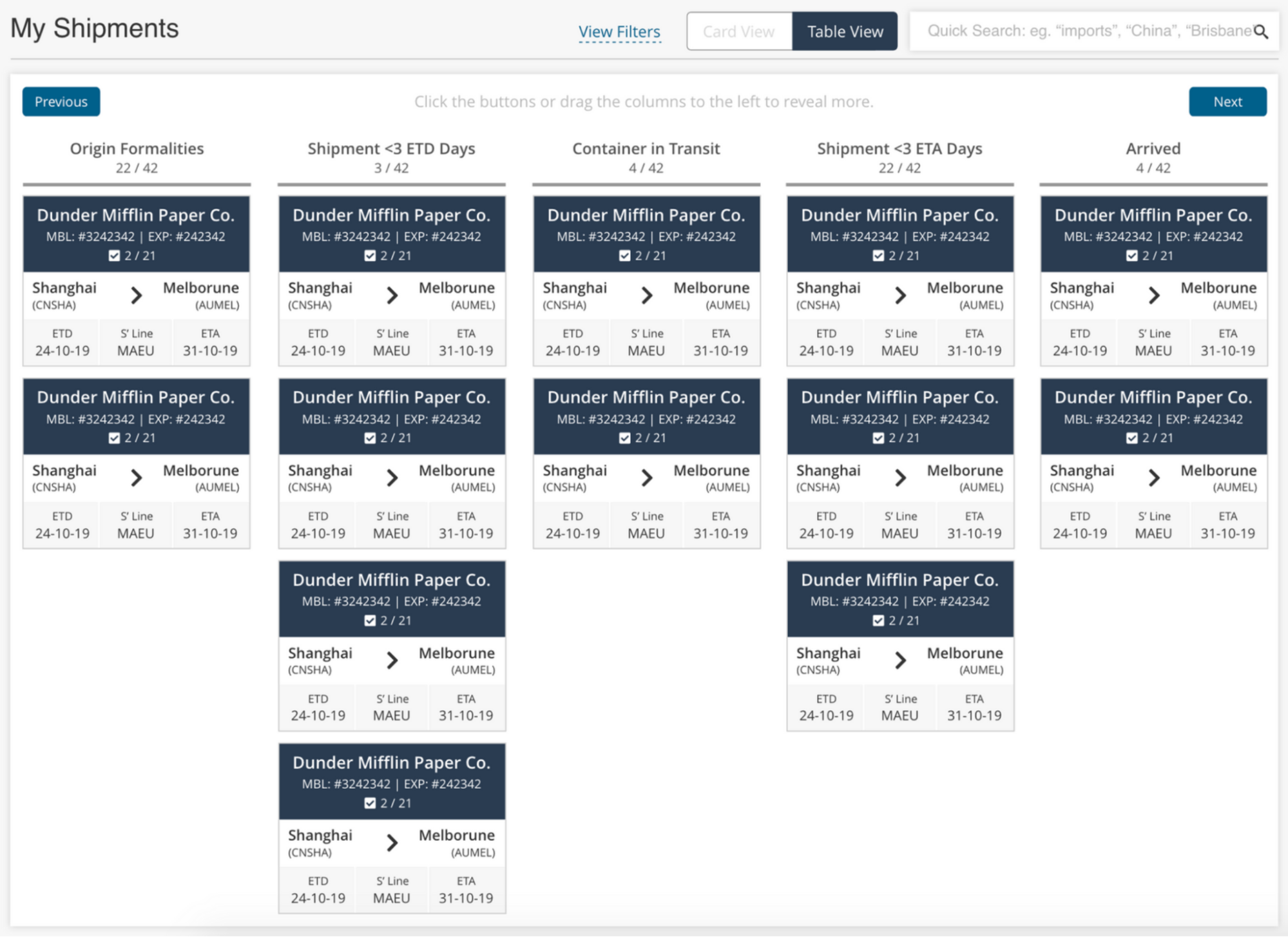
Operators primarily manage shipments from this dashboard.
Each shipment is a kanban card that moves through the columns from origin to destination.
Shipment Checklist
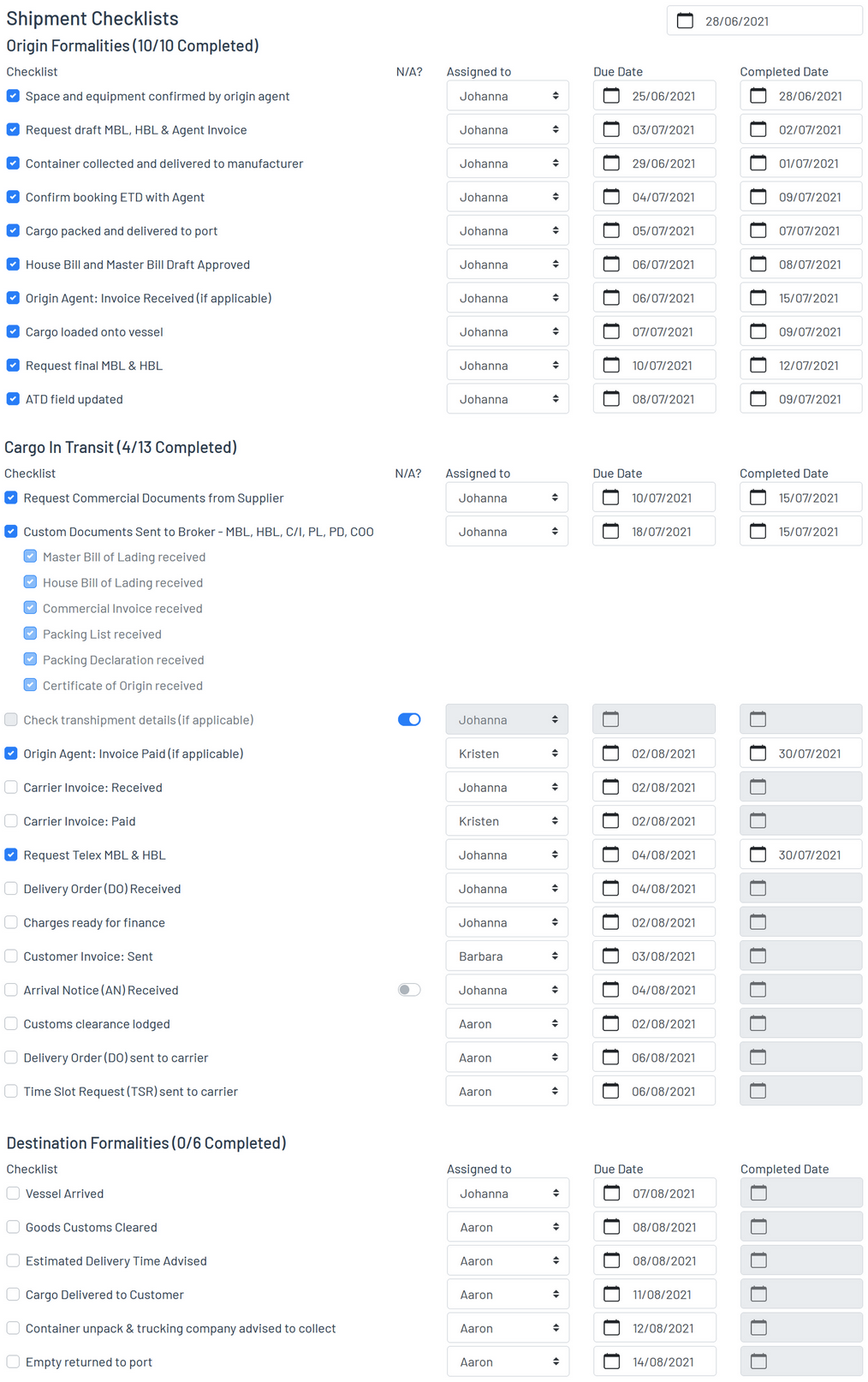
Inside every shipment is a comprehensive checklist for operators to ensure every document is filed and the cargo is where it should be at any given time.
Not completing a task punctually can mean shipment delays and fines. Operators need to keep on top of their tasks.
As Explorate scales, operators face increasing challenge managing their shipments because the checklist is hidden in the shipment’s details page.
A Quick Fix
The yellow ribbon in the corner of shipment cards shows overdue tasks when hovered over.
This fix forces operators to hover over the ribbons, card by card, until they find their name on the list.
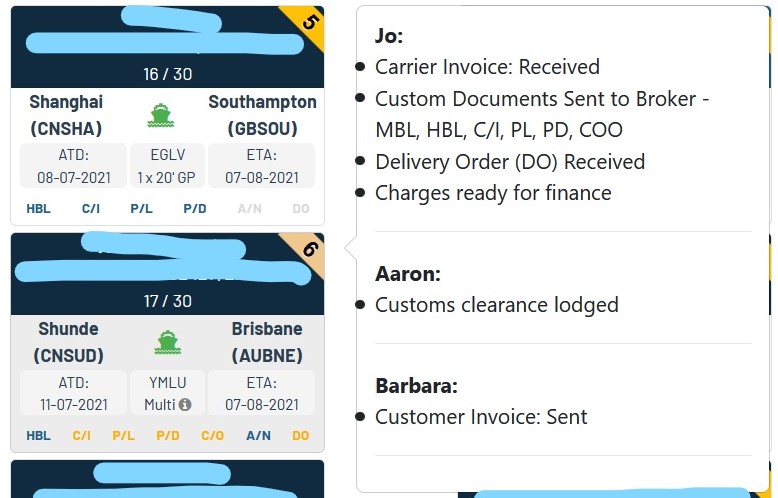
The problem? Operators lack visibility in tasks they need to complete. Some notable quotes from operators during my interviews with them:
The main dashboard displays tasks only when they’re overdue.
When operators go on leave or when a shipment reaches a certain milestone, their shipments are reassigned to another operator, who isn’t being notified of this change.
So how might we help operators complete tasks on time?
☑️ Actionables
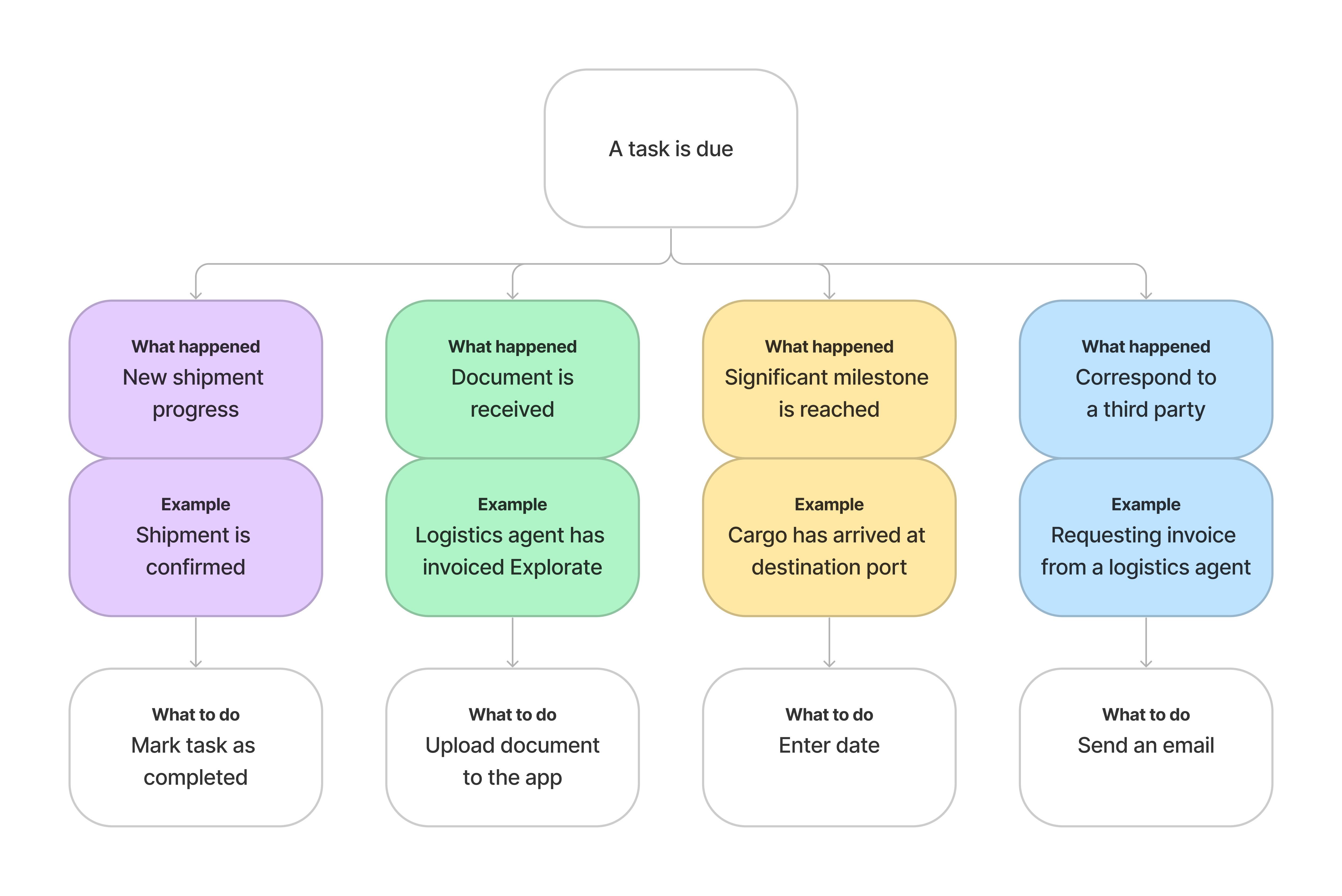
Completing a task isn’t always as simple as ticking it off the checklist. Some tasks require an extra step for the operator to complete.
🖥️ Operator Dashboard
In my research, I discovered that operators have enough on their plate for the day that they don’t have the bandwidth to look into tasks due in the future. The kanban board doesn’t serve them as its eagle eye view doesn’t let them get down to the nitty gritty of a shipment, which is where they operate (pun intended).
The redesigned dashboard cuts away distraction by displaying an operator their tasks sorted by the day.
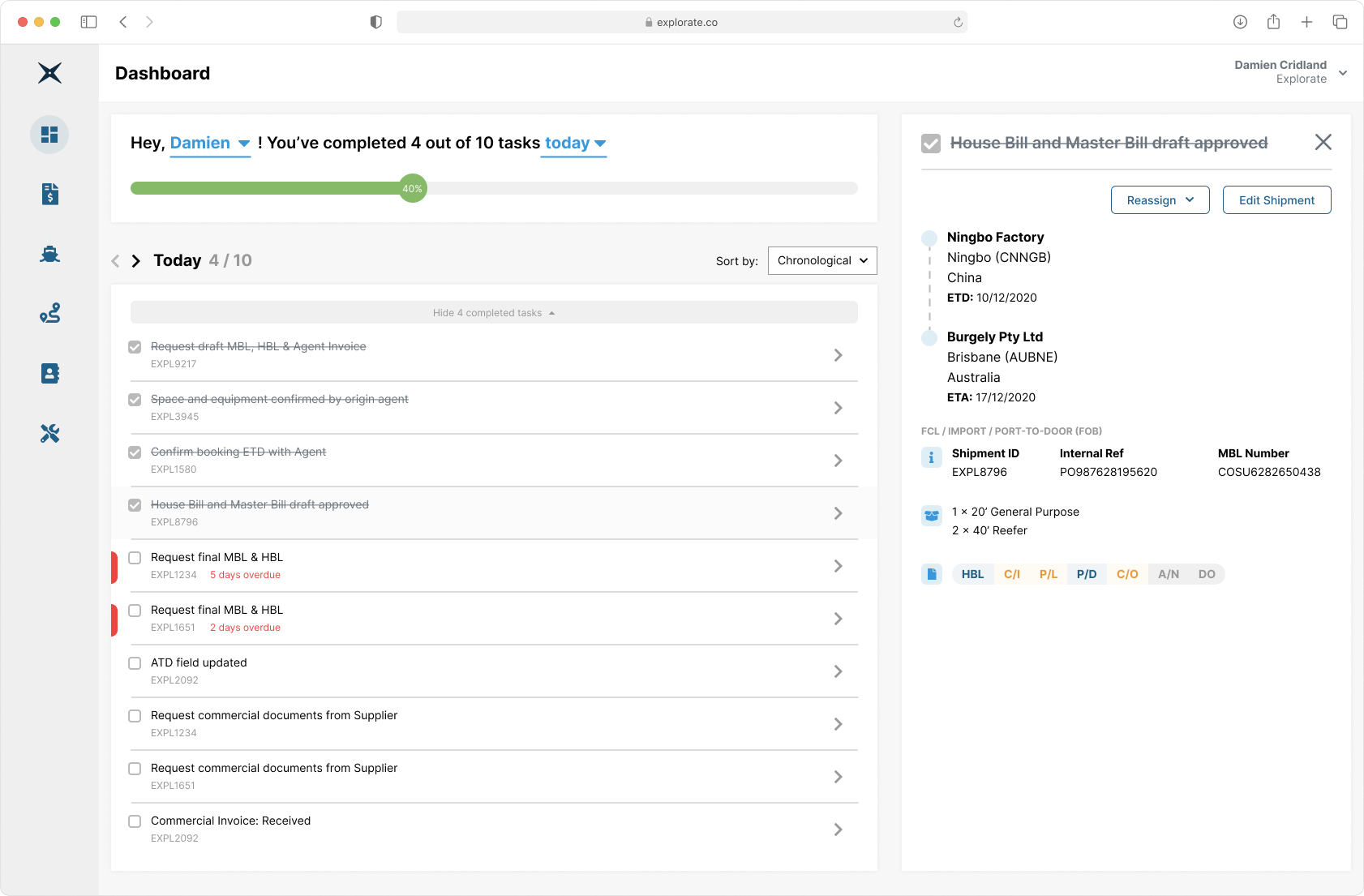
Making Tasks Actionable
Operators should be able to do everything required to complete a task on this page, without going into the shipment’s details.
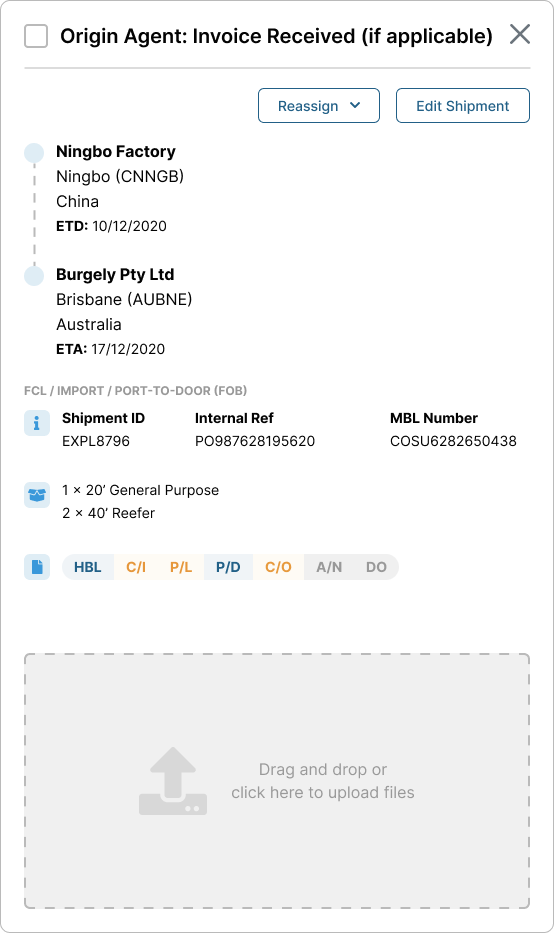
Upload a file (empty)
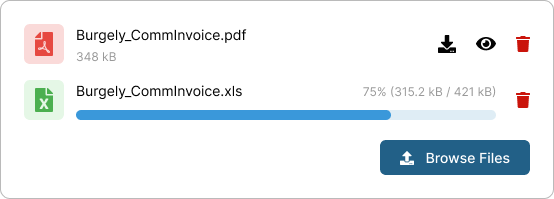
Upload a file (filled)

Enter date
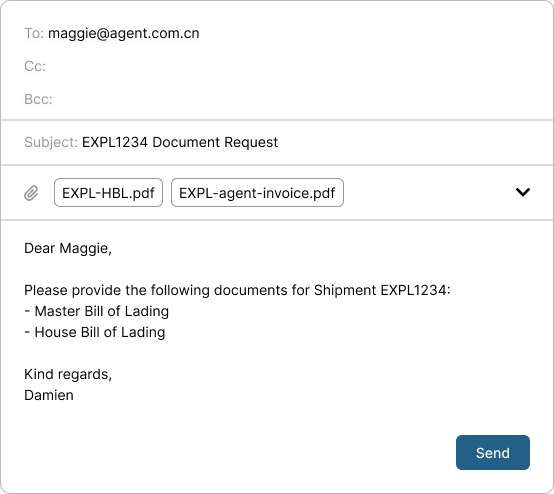
Send an email - with recipient, subject, and message already prefilled
🔍 Retrospective
Immediate adoption by the Operations team on launch.
1 Explorate operator handles 2.6x more shipments than 1 operator in a traditional freight forwarder.
Seamless shipment handovers, easier monitoring for operator performance, less back and forth needed. It’s become a regular occurrence during standup to hear an operator say, “Today I’m working on my task list!”
Overdue tasks are stressful to see on one’s list, but every operator has several. Some are overdue by weeks.
Operators should be able to act on overdue tasks beyond merely completing them.
Why are tasks overdue?
- Operators are awaiting response from a third party.
- Shipments run late.
- The tasks are not applicable to that particular shipment.
- The tasks are incomplete but the shipment itself is actually completed.
Secondary “completions” may include:
- Dismiss tasks by marking them as Not Applicable.
- Snooze tasks—“Ask me again in days.”
- Auto-complete all tasks in a completed shipment.